
Edit videos on one timeline, on your computer
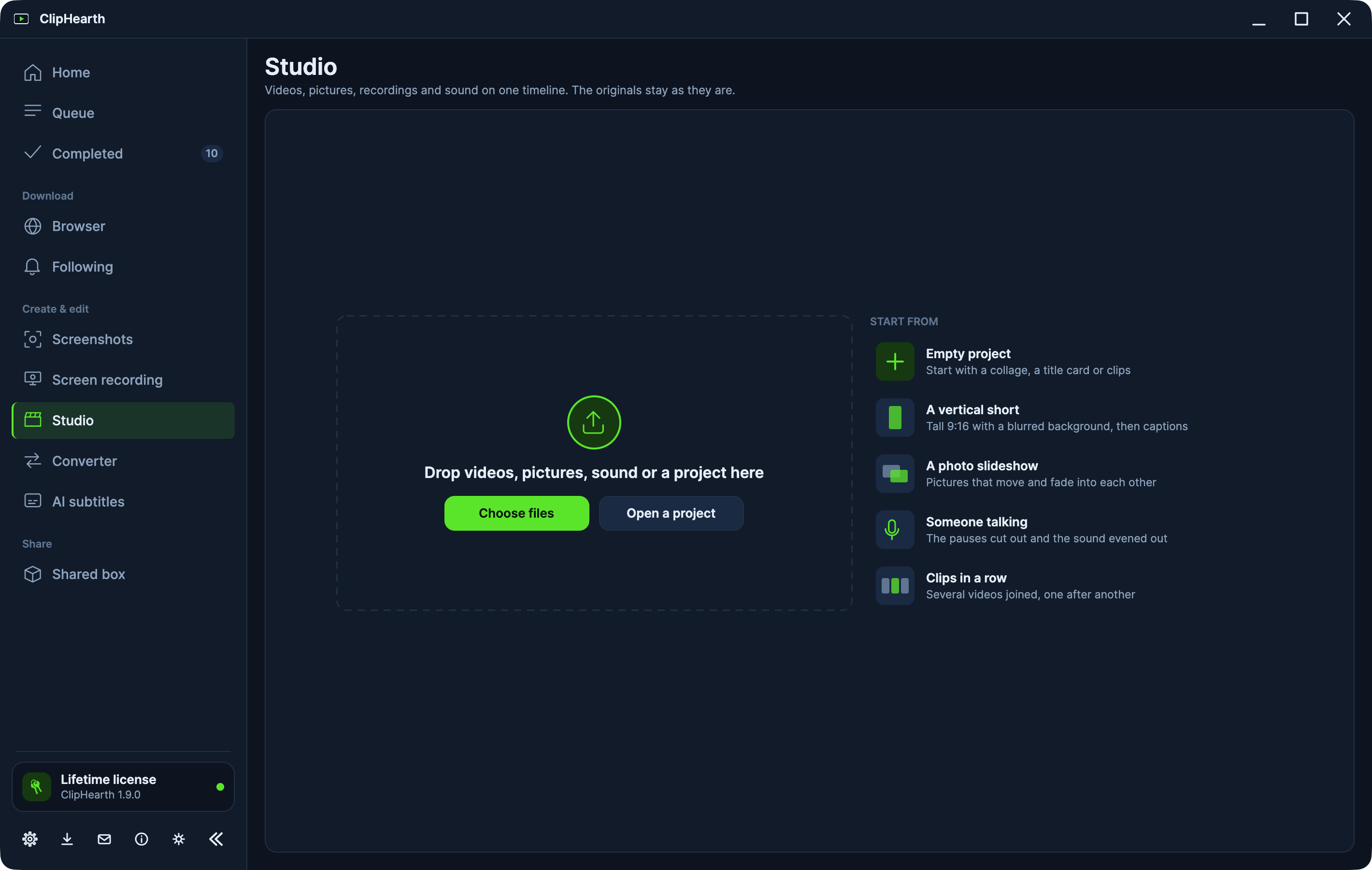
The Studio is ClipHearth's video editor (called the Editor before 1.8.0). Videos, photos, recordings, and sound go onto one timeline, and every export is a new file while the originals stay as they are.
Start from what you are making
The start page offers an empty project, a vertical short, a photo slideshow, someone talking, or clips in a row, and the Studio sets up what that kind of video needs. Add things from the rail on the left (media, a collage, a title card, a zoom, a layer, text, marks, captions, music, a voice-over) and click anything on the timeline to change it on the right.
Clips, photos, and transitions
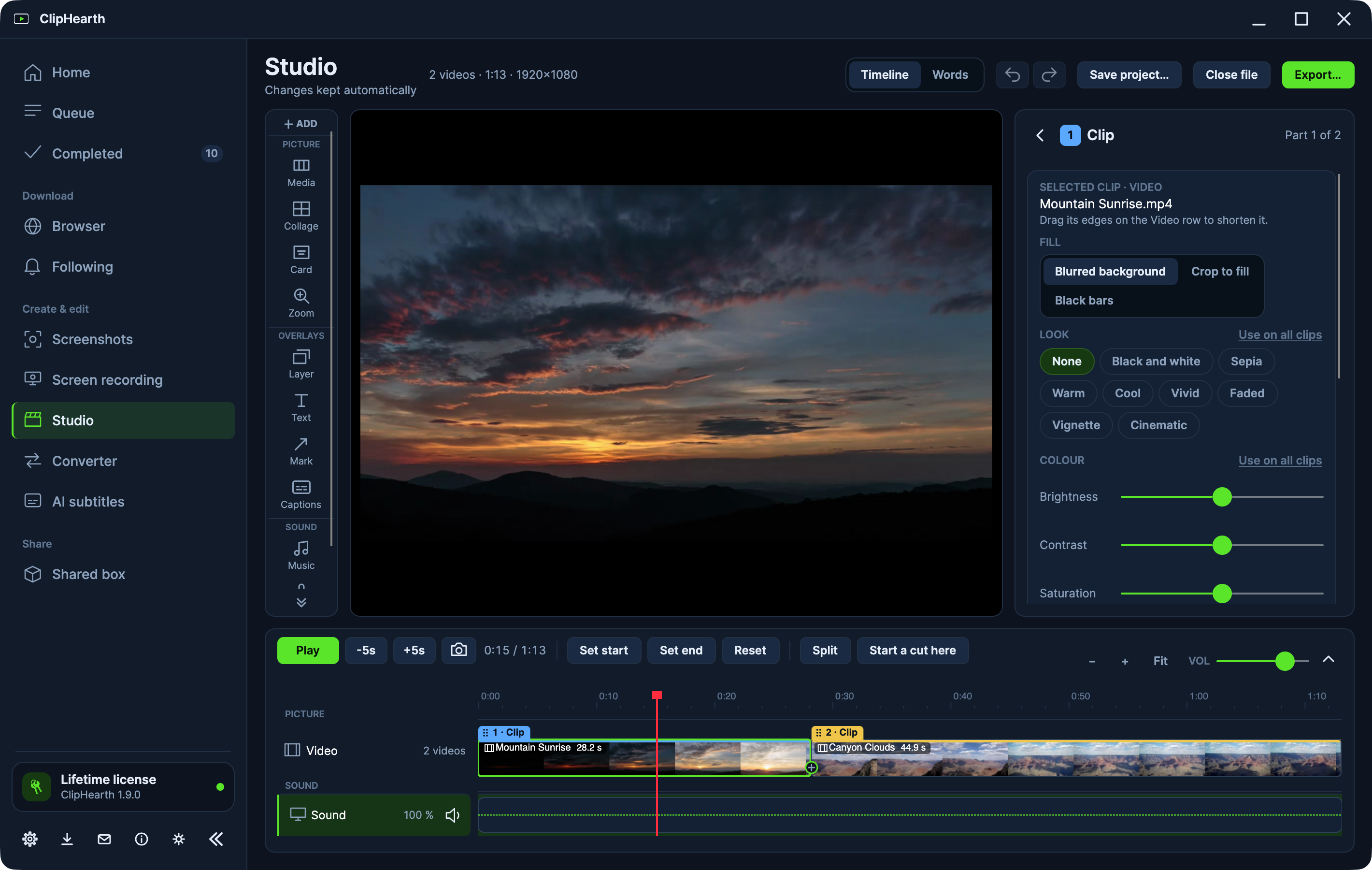
Videos and photos go onto the Video row one after another. Drag them into order, drag an edge to make one shorter or longer, and pick one of 31 transitions for a single cut or between all clips. Photos can move slowly while they show, phone photos stand upright, and HEIC opens too.
Every clip can take a look and its own brightness, contrast, saturation, and warmth. Collages of two to four videos or photos and title cards sit on the Video row like clips, photos can take turns in a collage's cells, and a collage can change its layout as it plays.
Layers, text, and marks
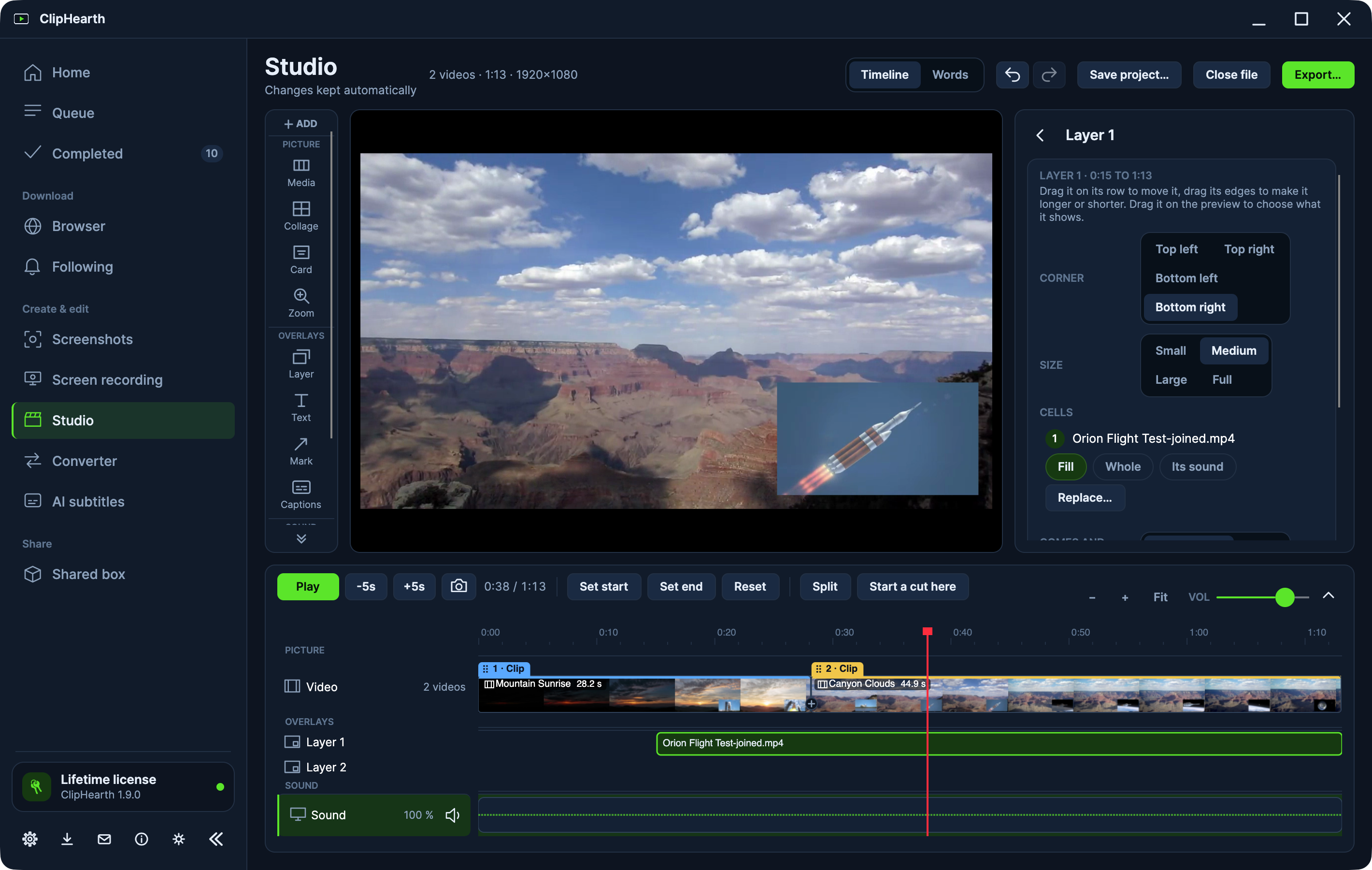
Lay another shot, a picture, or a GIF over the whole picture or a corner on up to four layers. Add text and titles, and arrows, boxes, circles, numbered steps, a spotlight, blur, or pixelation over part of the video. Keyframes let text, marks, and layers move, grow, and fade along a path of their own.
Cut a video by editing its text
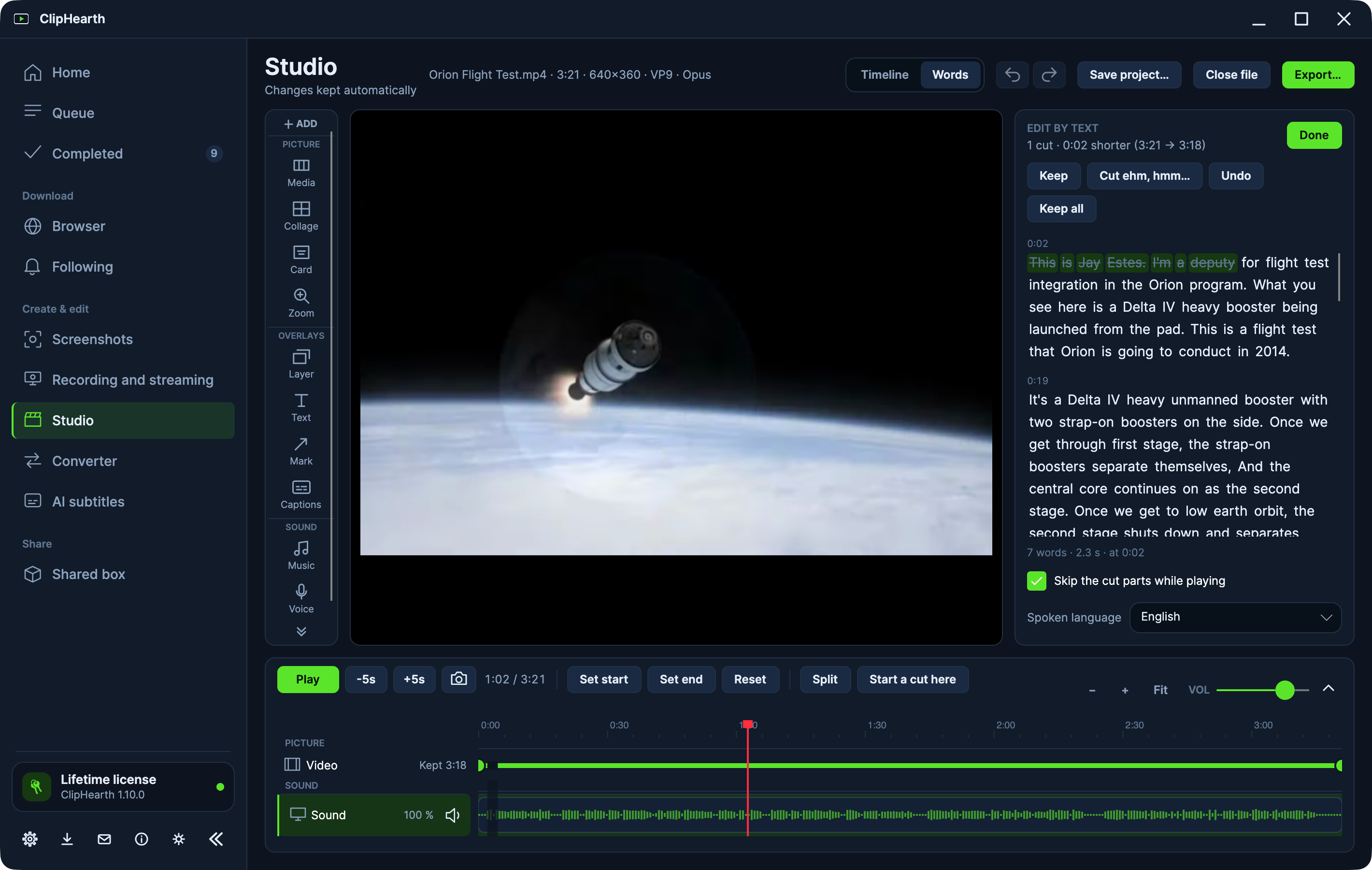
Switch the timeline to Words and ClipHearth writes down what is said, on your computer. Strike out words or sentences and they are cut from the picture and the sound together, or take out every ehm and hmm in one go. Cut out the pauses too.
Captions and vertical videos
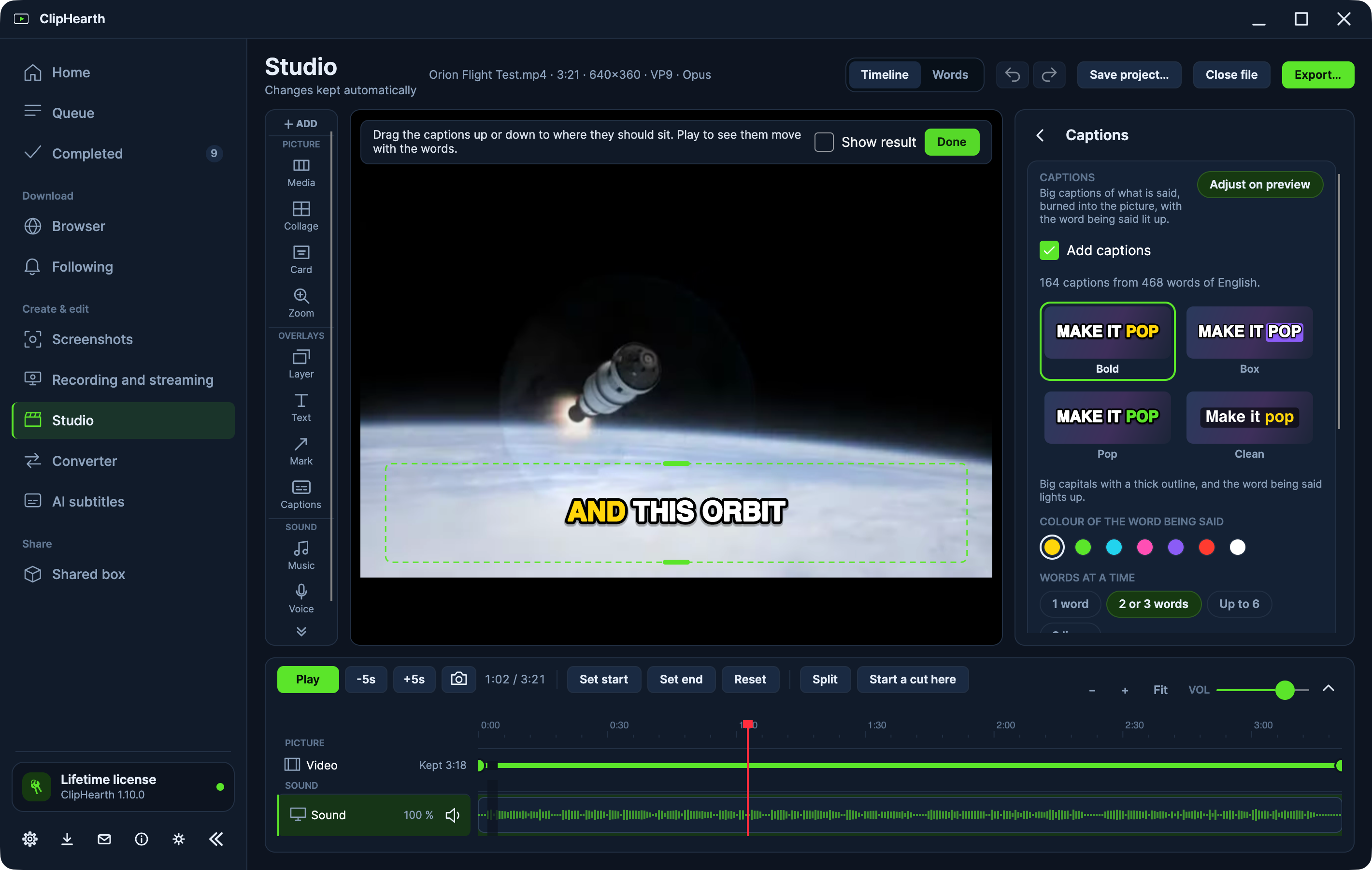
Big word-by-word captions with the spoken word lit up come in four looks and follow every cut. The whole video becomes 16:9, 9:16, 1:1, or 4:5 in one click, and A vertical short puts a wide video on a blurred background, ready for captions.
Sound
Every sound track has its own volume, sync, and noise clean-up. Add music, record a voice-over from the play position or over a sentence, and let the music step back while someone speaks. The loudness can be evened out for a podcast, video sites, or broadcast.
Made for screen recordings
A recording made in ClipHearth opens with its camera and zooms kept apart. Move the camera to the corner, beside the screen, or alone part by part, blur or replace the room behind you, let a zoom follow the pointer, show the shortcuts you pressed as text, and keep the chapters you marked through every cut.
Polish and fix
- Colour, a logo or text watermark, a time code, and fades.
- Clean-up: deinterlace, soften the grain, sharpen, and steady a shaky picture.
- Speed from 0.25× to 4×.
- Split at the play position, copy, paste, and delete several parts at once, undo and redo, and play back with J, K, and L.
Your work is kept
Your edits are saved as you work, so after you close the app, or if it crashes, you pick up where you left off under Continue editing. Save project keeps the edit as a file to keep working later, or with copies of all its files to move it to another computer.
Export
Export… opens a window of its own and Export to Queue writes a new file. Choose H.264 or H.265 for a smaller file, an App Store preview at Apple's size, a GIF that stays under the size you set, or a fast trim that saves a part in seconds without re-encoding. Chapters can split a video into parts, a PNG snapshot saves the current frame, and the same changes can go to more files at once. GIFs open as clips and go out as a GIF again.
Questions
Is the Studio free to try?
Yes. An export from the Studio is one of the three tasks of the free trial on each computer. Edit by text and captions need a license.
Are my videos uploaded anywhere?
No. Editing, speech recognition, and exports run on your computer.
Was the Studio called the Editor?
Yes, the Studio was called the Editor before ClipHearth 1.8.0.
Can I continue an edit on another computer?
Yes. Save the project with copies of all its files and open it on the other computer. The package is an ordinary ZIP.
Which systems does it run on?
Windows 10 or later, macOS 12 or later, and Linux.