
Transcribe video to text, subtitles, and notes on your computer
Subtitles and transcript (called AI subtitles before 1.11.0) writes down what a video or a recording says, as subtitles or as text. AI subtitles, translations, and summaries are made on your computer. Your videos and their words are never sent anywhere. Only the AI models are downloaded, once.
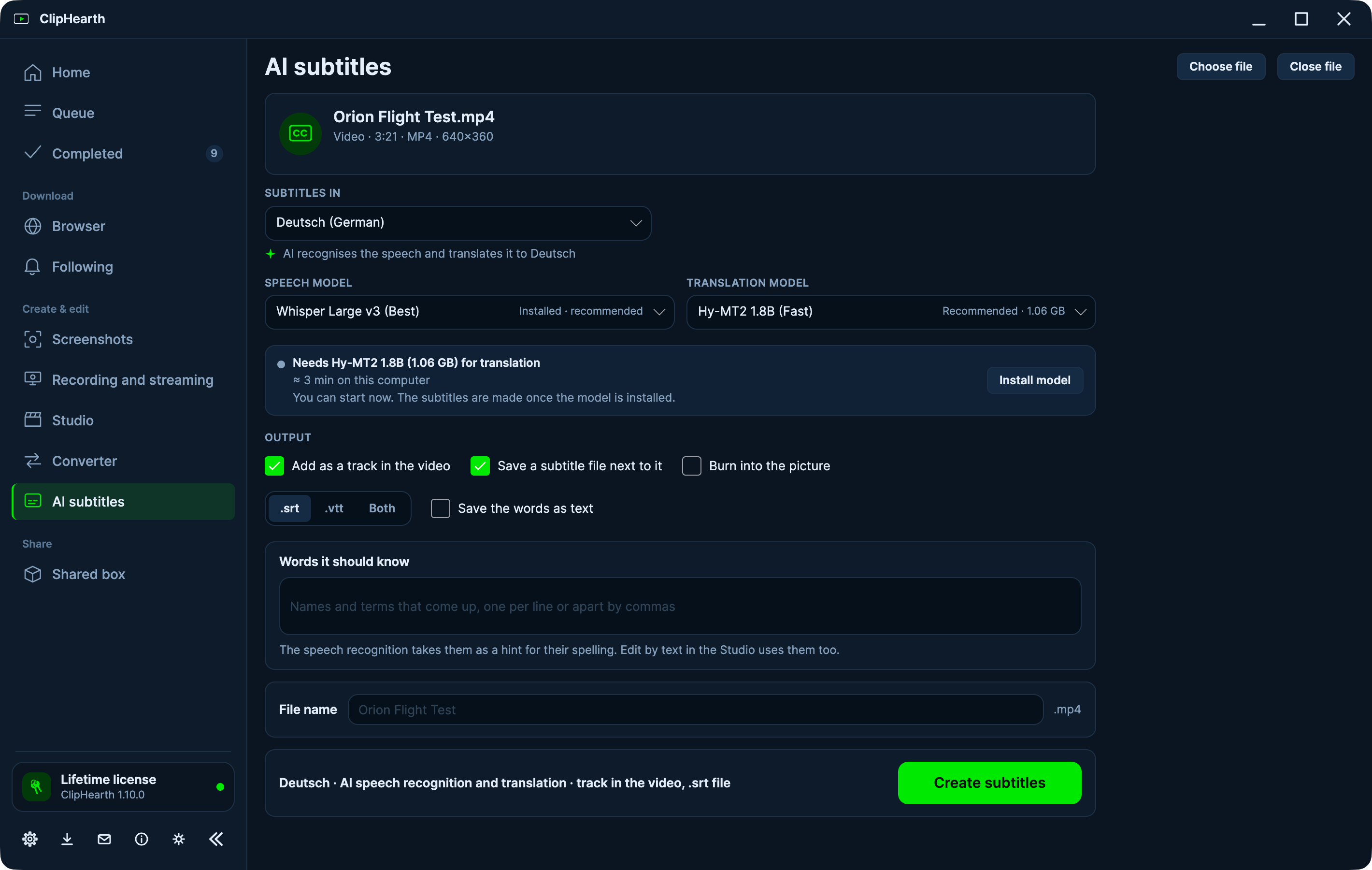
Subtitles and text from what is said
ClipHearth recognises 50 spoken languages on its own and writes subtitles as .srt or .vtt files, as tracks inside the video, or burned into the picture. Save the words as text too, as .txt or .md, with times if you like. Words it should know helps it spell names and terms.
Subtitles a file already has in your language are used as they are, without AI.
Translation
Subtitles are translated into 16 languages, with 19 more marked experimental, by a translation model on your computer.
Search your videos by the words said
Type a word or a phrase in Completed and ClipHearth finds the videos where it is said, shows the places with the words around them, and plays from there. The words are kept on your computer so you can search them.
A summary, chapters, and clip ideas
A language model on your computer reads the words and writes a summary with key points, suggests chapters, and marks passages that work as short clips: no uploads and no credits. Copy the chapters into a video's description, add them in the Studio with one button, or open a clip idea in the Studio, cut and upright, ready for captions. They are suggestions to check, not facts.
Call notes without a bot in the meeting
A ClipHearth recording of a call, with each sound on its own track, gets a transcript that says who spoke: Me for your microphone and Others for what came from the computer. With a language model installed it starts with a summary, what was decided, and who does what. Nothing joins the call. Record a call only with everyone's consent.
Edit by text and captions use the same words
In the Studio, the same speech recognition lets you cut a video by striking out words, and puts big word-by-word captions on the picture.
Models, honestly
- No AI model is downloaded until you choose one. Speech models range from 57 MB to about 1 GB.
- For summaries, Qwen3 4B (2.3 GB, for computers with 8 GB of memory) handles many languages; the light Qwen3 1.7B (1.0 GB) reads English only.
- ClipHearth marks the model that suits this computer. On a computer without a graphics card everything takes longer.
- It needs the 64-bit ClipHearth and, on Intel and AMD processors, AVX2.
Questions
Is my video uploaded to be transcribed?
No. Speech recognition, translation, and summaries run on your computer, and only the AI models are downloaded, once.
Does it cost extra, or use credits?
No. AI subtitles are optional and included in the license, with no credits or minutes to buy.
Can it tell speakers apart?
Only you and the others: in a ClipHearth recording with each sound on its own track, your microphone is Me and the computer's sound is Others. It does not tell voices apart.
Are the summaries always right?
No. Subtitles, translations, and summaries can contain mistakes, so read them before you rely on them or publish them.
Which languages does it understand?
50 spoken languages for subtitles and text. Translation goes into 16 languages, with 19 more marked experimental.